Verify · Cash Approval
Only approved cash reaches the books.
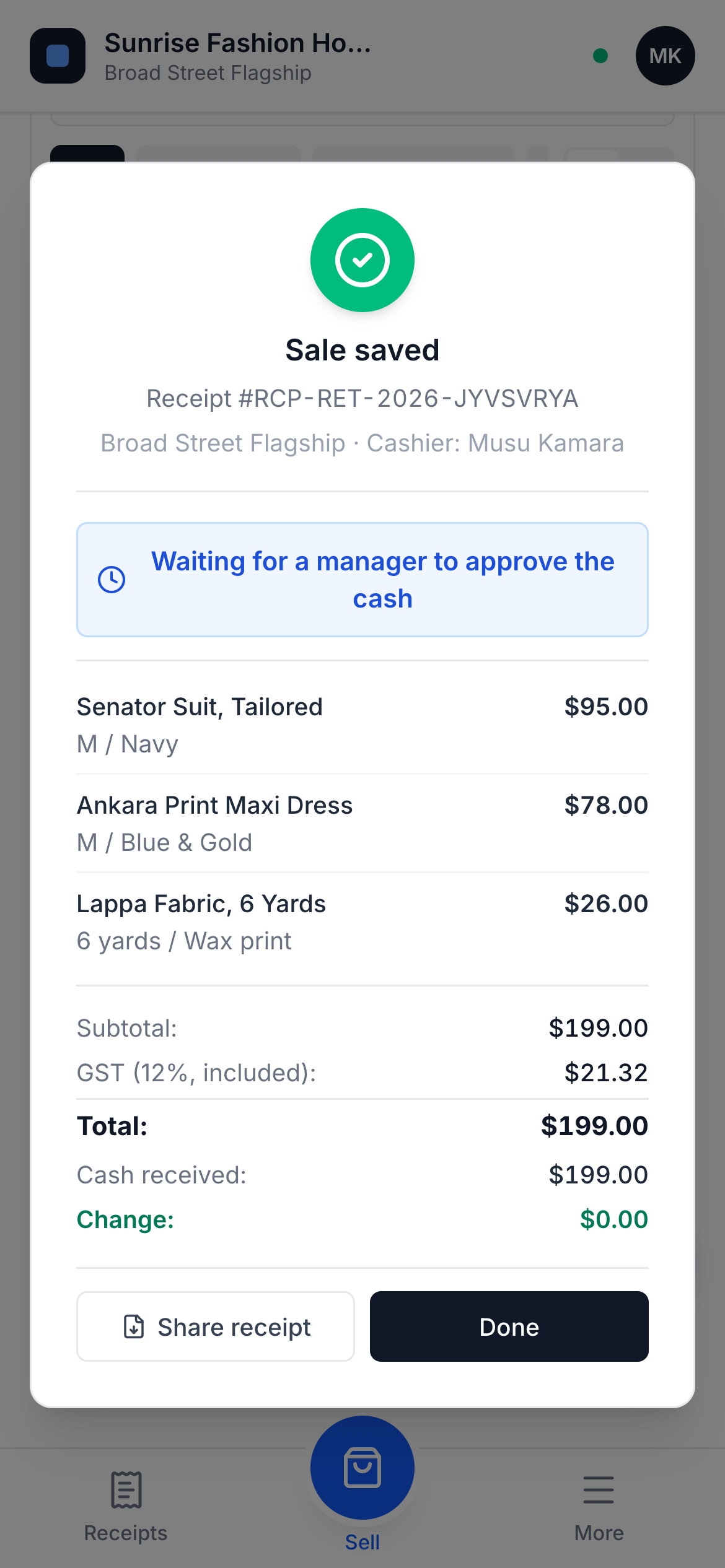
Every cash sale waits for a manager. They count the cash and verify it, or reject it with a reason. That is what turns sales into numbers an owner can trust.
Every cash sale waits for a manager
When a cashier completes a cash sale, it is saved and marked as waiting. The owner can see exactly how much cash is still to be counted.
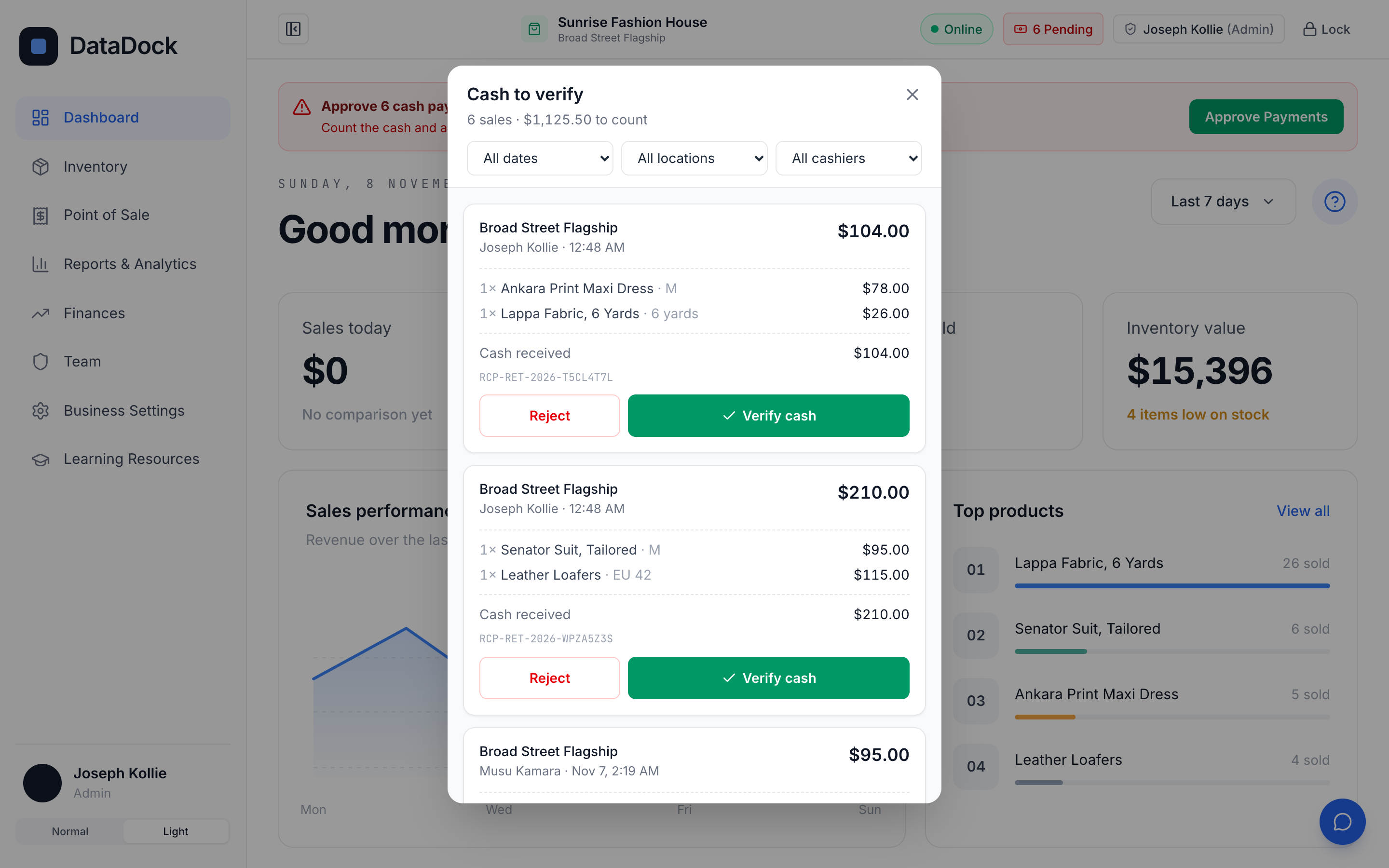
Count it, then verify it
Managers see each sale with its items, the cash received and the change given, then verify the cash in one tap.
- Filter by date and location
- Receipt number on every sale
- Approved cash counts toward revenue
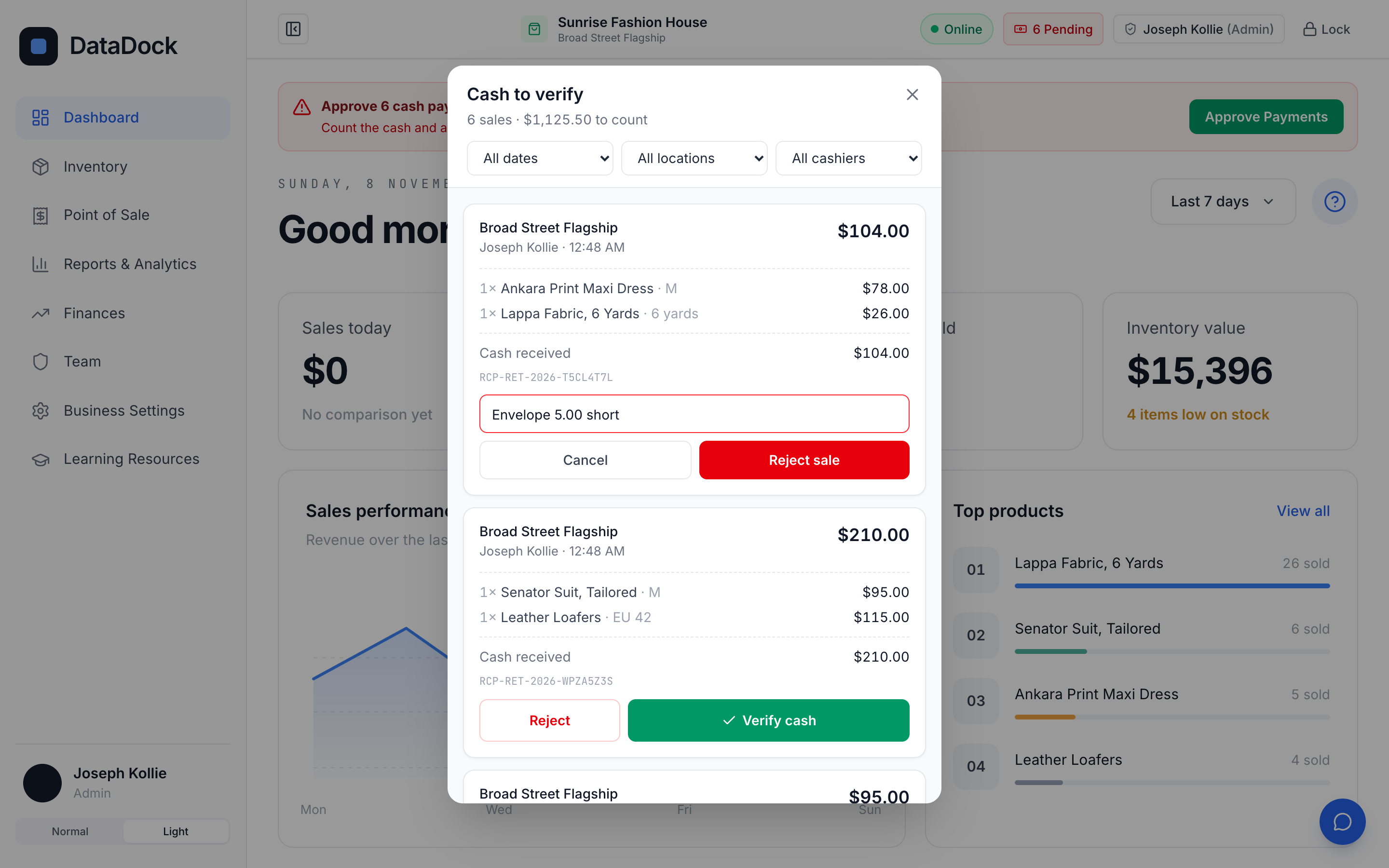
Reject with a reason
If the cash is short, the manager rejects the sale and says why. The reason stays on the record.
Questions
Why approve every cash sale?
Because cash is where records usually go wrong. A manager’s count makes every number in your reports one you can rely on.
Does pending cash show in my revenue?
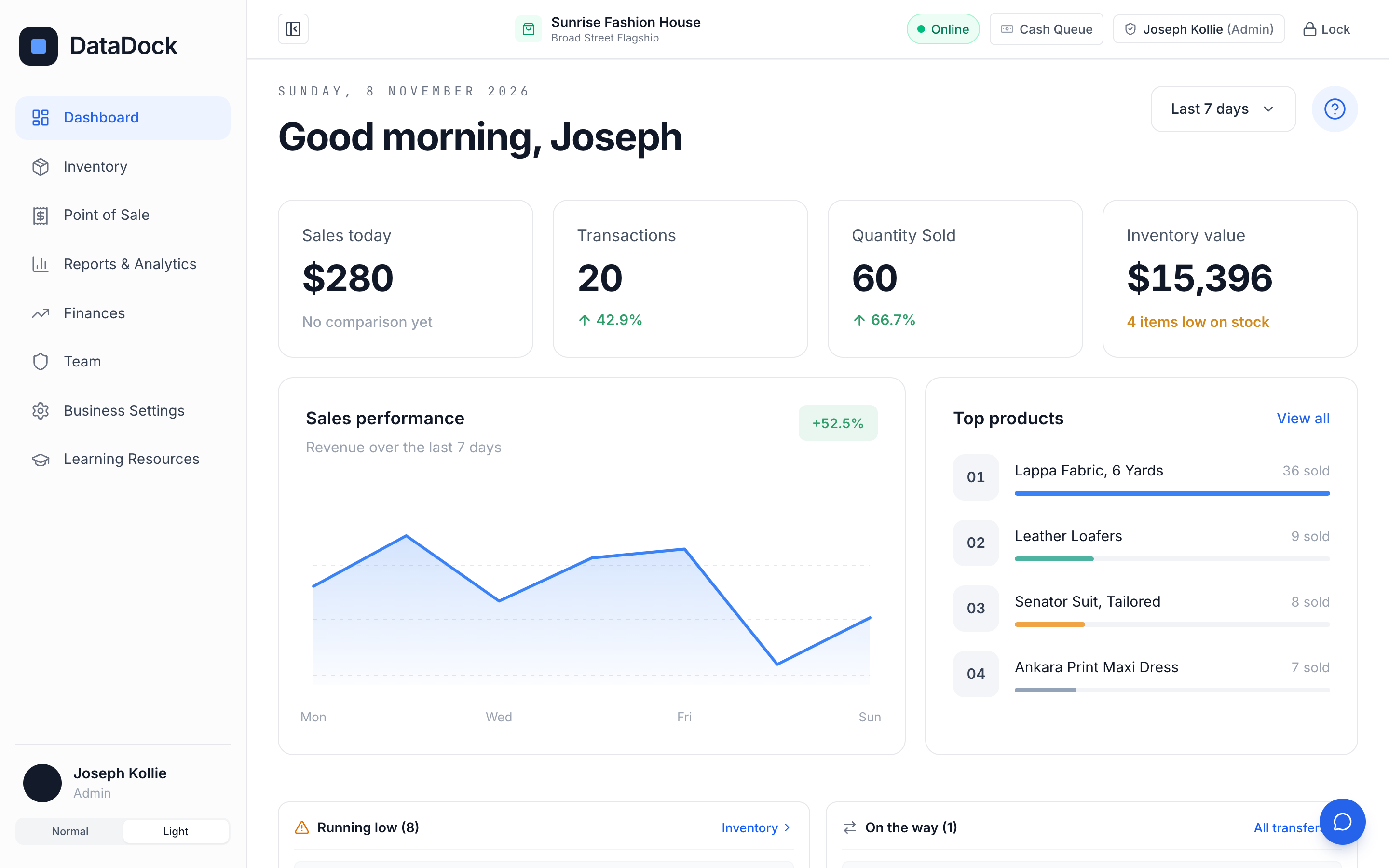
No. Cash waiting for approval is shown separately and only counts once a manager verifies it.
Can a manager approve from home?
Yes. Owners and managers can review and approve cash from anywhere they can sign in.
Built to empower cash-heavy economies.
60 days to try DataDock, set up by our team, with nothing to pay.