Understand · Inventory
Know your stock in every shop.
Stock goes down with every sale, at every location. See what is running low, move stock between locations with tracking, and order more with purchase orders.
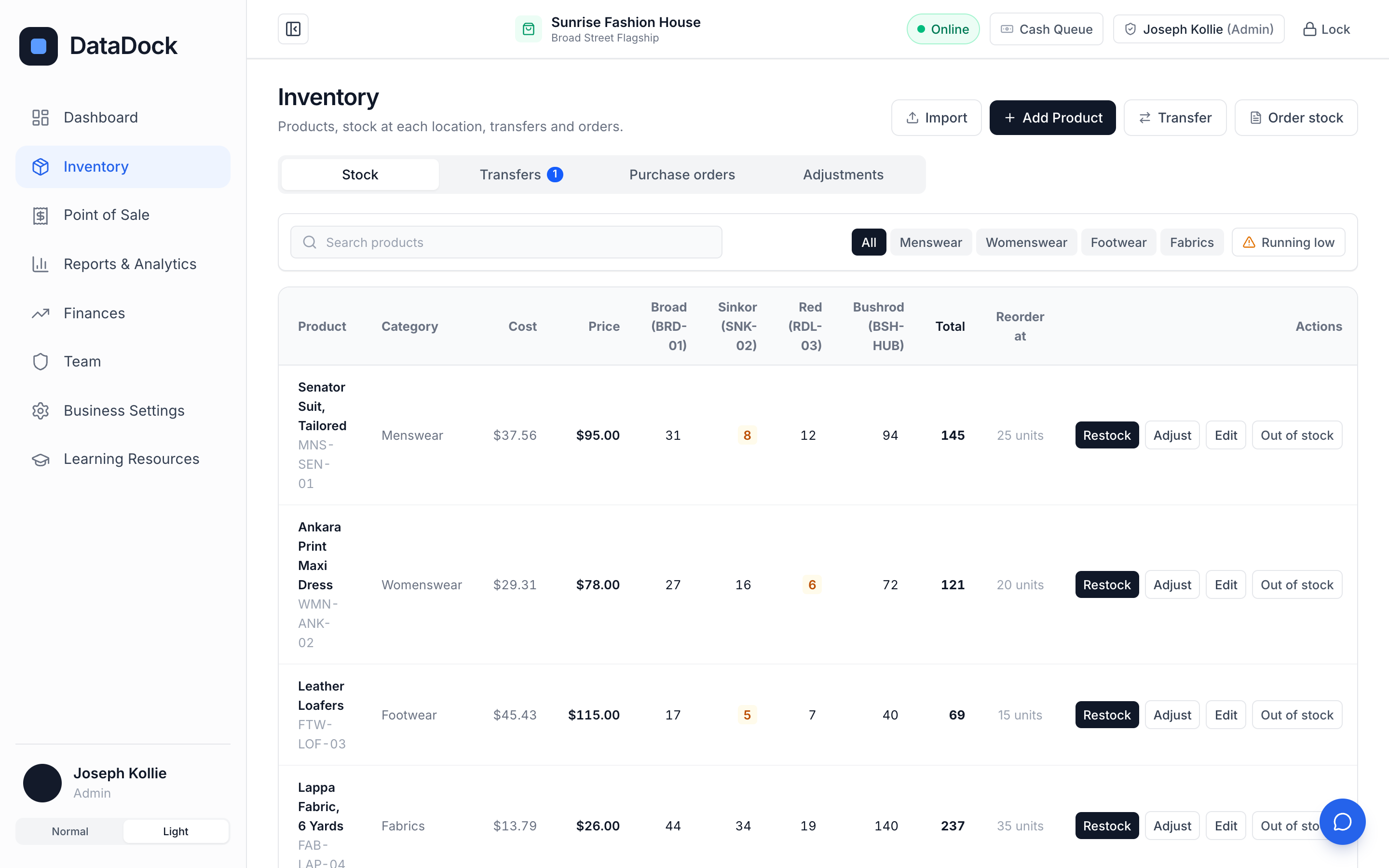
Every product, every location
One table shows how much of each product is at each location, and the total.
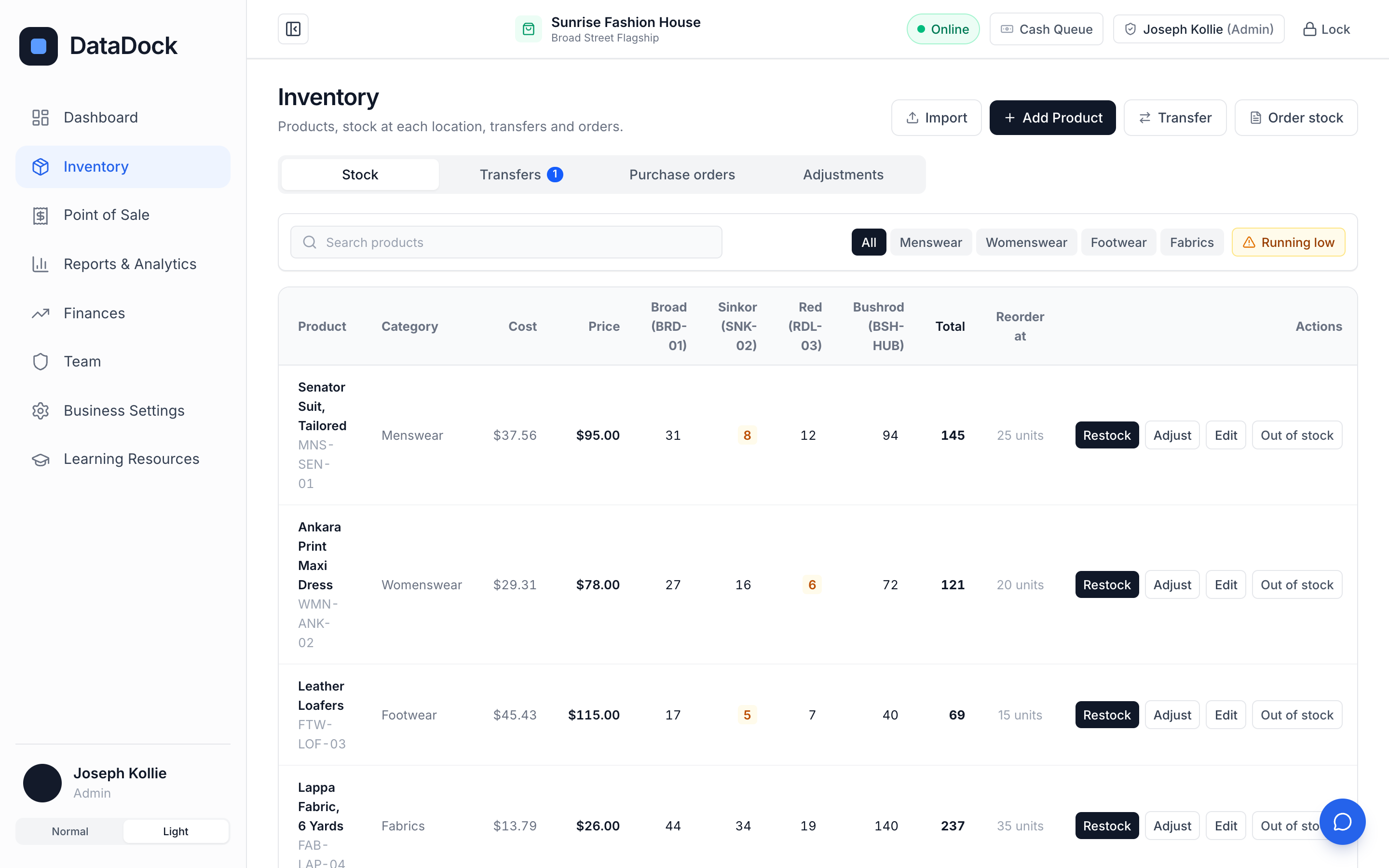
See what is running low
Set a reorder level for each product and DataDock shows what needs restocking before it runs out.
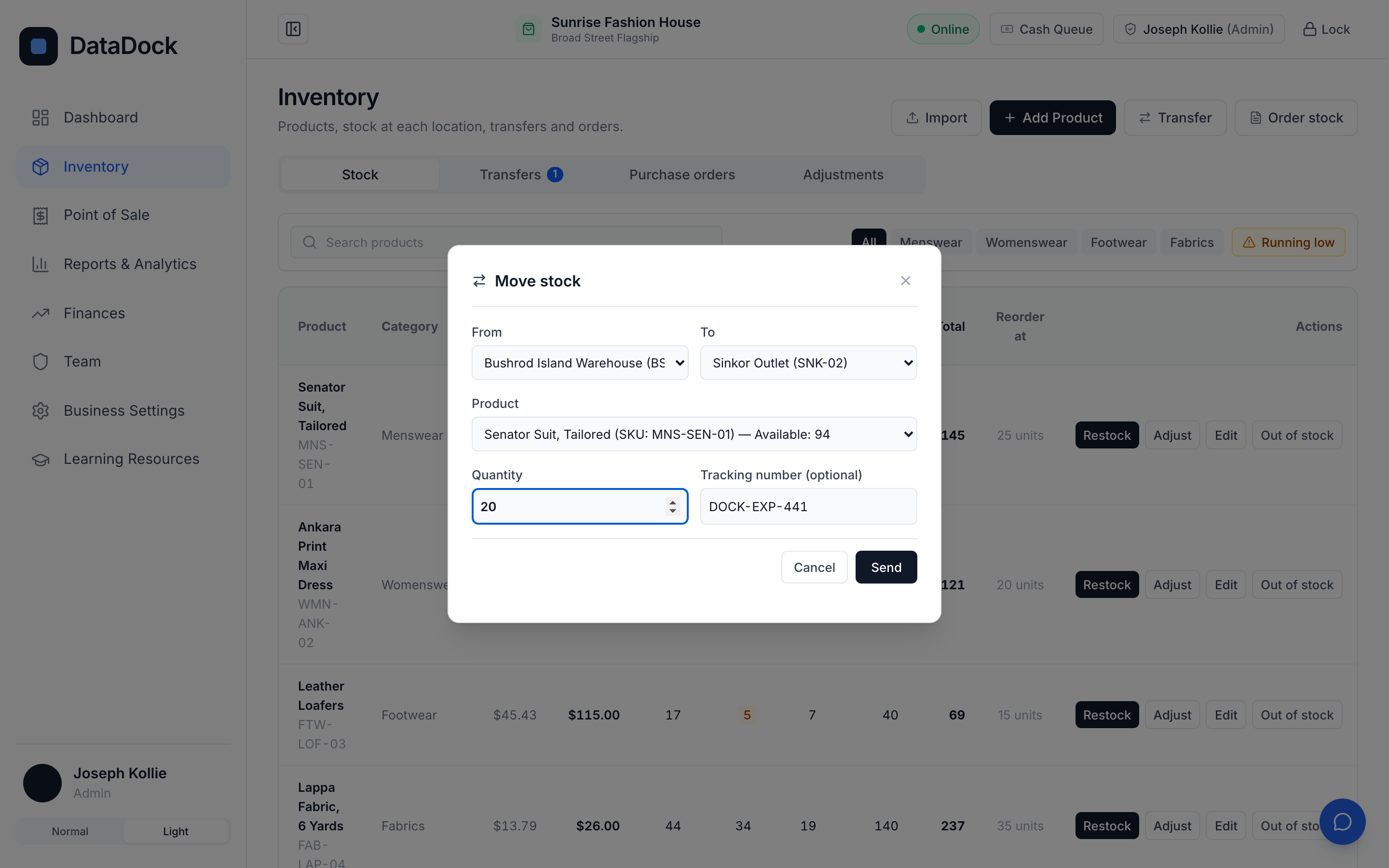
Move stock, and know where it is
Send stock from one location to another with a tracking number. It shows as on the way until it is received.
- Transfers between locations
- Purchase orders
- Stock adjustments with a record
Questions
Does stock update automatically?
Yes. Each sale reduces stock at the location where it was sold.
Can I move stock between locations?
Yes, with transfers that are tracked from sending to receiving.
Can I correct a count?
Yes, with a stock adjustment, which is recorded so you can see who changed what.
Built to empower cash-heavy economies.
60 days to try DataDock, set up by our team, with nothing to pay.